

Render markdown text directly into downloadable images.
Markdown to Image converts markdown text into visual image representations, rendering content as PNG, JPEG, or WebP images.
Try it — live request, no key required
No key required to try it. Get a key to use it in your app.
{
  "status": "ok",
  "error": null,
  "data": {
    "width": 1280,
    "height": 800,
    "format": "png",
    "imageName": "c7677488-b2e2-4c45-bca6-e1f63c231c7a.png",
    "expires": 1796098742909,
    "downloadURL": "https://media.apiverve.com/examples/markdowntoimage/31f9f20a0216.png",
    "markdownLength": 282,
    "htmlLength": 376
  }
}
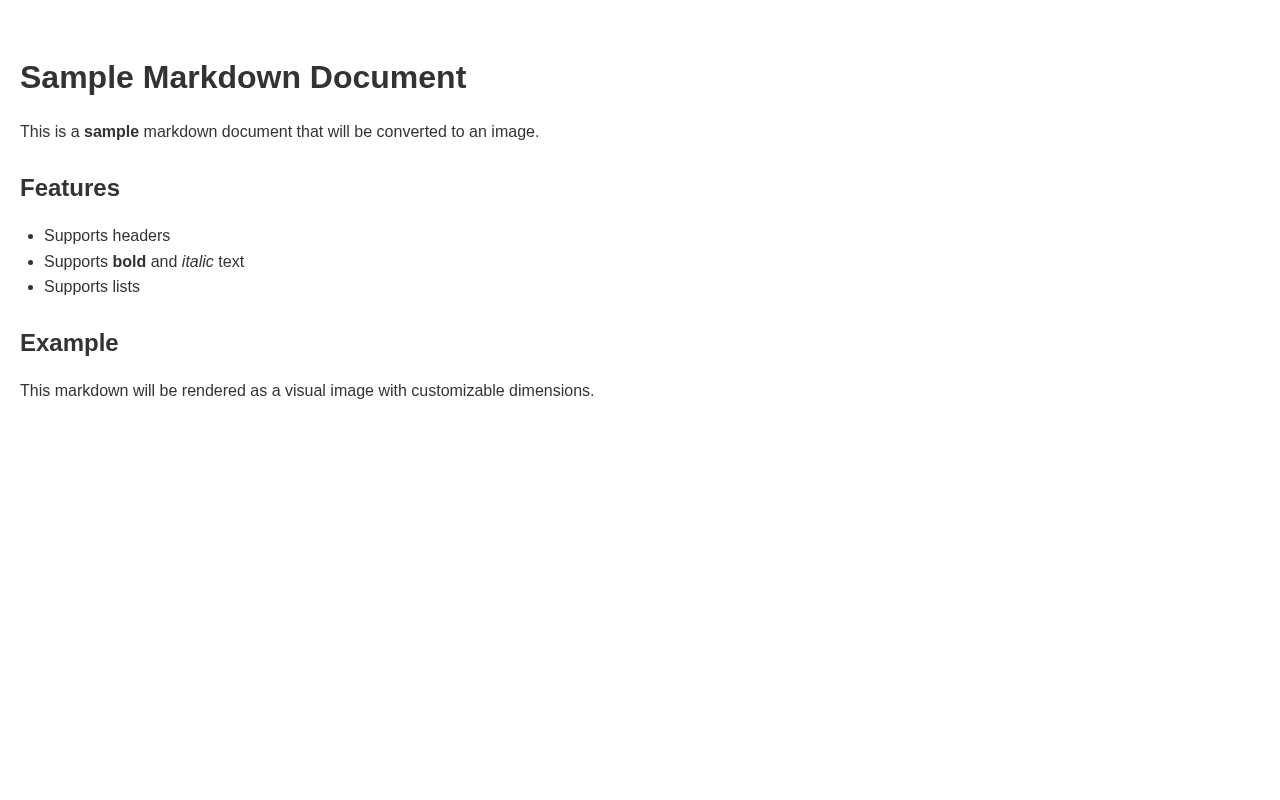
data.downloadURLOpen full size About the Markdown to Image API
Markdown to Image turns a block of markdown into a rendered picture you can post or embed. Send the markdown text and get back a download link to the image, its file name, its format and the time the link expires. Headings, lists, code blocks, quotes, links and tables are rendered with a clean light theme, which suits social media graphics, documentation previews, changelog cards and other markdown-based image generation where text has to travel as an image.
It is useful when a platform will not render markdown, such as image-only social posts, chat apps that strip formatting, or slides, and when you want the same snippet to look identical everywhere.
The Free plan renders at a fixed 1280 by 800 pixels as PNG. Paid plans let you set the width and height and choose JPEG output, and they return the dimensions used in the response.
How it works
The markdown you send is converted to HTML with the marked parser, wrapped in a page with a fixed stylesheet (system sans-serif font at 16px, 1.6 line height, grey code and table backgrounds, bordered tables, a left rule on blockquotes, white background, 20px padding) and captured in a headless browser. The screenshot covers only the viewport set by width and height; it is not a full-page capture, so content longer than the viewport is cut off at the bottom rather than extending the image. Size the height to the content or split long documents.
width defaults to 1280 and height to 800. format accepts png, jpeg or webp (jpg is treated as jpeg); any other value produces a PNG, and the format field reports what was actually made. On the Free plan the three parameters are ignored, so every image is a 1280 by 800 PNG, and the width and height response fields are null.
The image is uploaded to storage and returned as downloadURL, a signed link. expires is a Unix timestamp in milliseconds set two days after the request; download the file before then if you need to keep it. imageName is a random identifier plus the extension. markdownLength is the length of the input and htmlLength the length of the generated HTML body, which helps confirm the markdown was parsed as expected.
What people use it for
- Social Media
- Create visual content cards from markdown for social media sharing
- Documentation Previews
- Generate image previews of markdown documentation
- Content Cards
- Convert markdown content to shareable image cards
- Visual Newsletters
- Transform markdown newsletters into visual image formats
Ways to call it
One endpoint, many ways in — REST with JSON, XML, YAML and CSV, plus GraphQL and an MCP interface for AI agents.
- JSON
- Default REST response
- XML
- Markup format
- YAML
- Human-readable
- CSV
- Tabular export
- GraphQL
- Query language
- MCP
- For AI agents
Other ways to use Markdown to Image
Same data, same APIVerve account, same credit balance — one key works on all of them.
What would rendering 5,000 markdown images a month cost me?
Can I choose the output dimensions and image format on the Free plan?
Which image formats does the converter support?
How long do the generated image download links remain valid?
What data does the API return alongside the image link?
Request parameters — POST /v1/markdowntoimage
Sent as JSON in the request body. Premium parameters are accepted on every plan but only take effect on plans that include them. Anything not listed here is dropped rather than passed through.
Required
| Parameter | Type | Example | Description |
|---|---|---|---|
markdownRequired | string | # Title\n\nThis is **bold** text. | Markdown text to convert length 0-500000 |
Optional
| Parameter | Type | Example | Description |
|---|---|---|---|
widthOptionalPremium | integer | 1280 | Image width in pixels default 1280 · range 100-3840 |
heightOptionalPremium | integer | 800 | Image height in pixels default 800 · range 100-2160 |
formatOptionalPremium | string | png | Output image formatpngjpegjpgwebpdefault png |
curl -X POST "https://api.apiverve.com/v1/markdowntoimage" \
  -H "x-api-key: YOUR_API_KEY" \
  -H "Content-Type: application/json" \
  -d '{"markdown":"# Sample Markdown Document\n\nThis is a **sample** markdown document that will be converted to an image.\n\n## Features\n\n- Supports headers\n- Supports **bold** and *italic* text\n- Supports lists\n\n## Example\n\nThis markdown will be rendered as a visual image with customizable dimensions.","width":1280,"height":800,"format":"png"}'
Authentication
Send your key in the x-api-key header. That is the only auth step — no token exchange, and no per-endpoint scope to configure.
| Header | When | Value |
|---|---|---|
x-api-keyRequired | Every request | Your API key. Header names are case-insensitive, so X-API-Key is the same header. |
AuthorizationAlternate | Instead of the above | Bearer <key> — for clients that only expose bearer auth. Resolves to the same account and the same billing. |
content-typeRequired | POST body | application/json |
A 401 means the key is missing, invalid or expired. A 403 means the key is valid but not permitted here — blocked by a key restriction or an IP allow-list. Running out of credits is a 429.
Response — POST /v1/markdowntoimage
Every APIVerve endpoint returns the same three top-level keys, so one response handler covers your whole integration: status, error and data. Only data changes shape.
{
  "status": "ok",
  "error": null,
  "data": {
    "width": 1280,
    "height": 800,
    "format": "png",
    "imageName": "c7677488-b2e2-4c45-bca6-e1f63c231c7a.png",
    "expires": 1796098742909,
    "downloadURL": "https://media.apiverve.com/examples/markdowntoimage/31f9f20a0216.png",
    "markdownLength": 282,
    "htmlLength": 376
  }
}
Response fields
Paths are relative to data. Premium fields are absent rather than zeroed on plans that do not include them, so check for presence instead of comparing to 0.
| Field | Type | Example | Description |
|---|---|---|---|
widthPremium | number | 1280 | Width of generated image in pixels |
heightPremium | number | 800 | Height of generated image in pixels |
format | string | "png" | Output image format |
imageName | string | "c7677488-b2e2-4c45-bca6-e1f63c231c7a.png" | Unique identifier for the generated image |
expires | number | 1796098742909 | Unix timestamp when download URL expires |
downloadURL | string | "https://media.apiverve.com/examples/markdowntoimage/31f9f20a0216.png" | URL to download the generated image |
markdownLength | number | 282 | Number of characters in the submitted markdown text |
htmlLength | number | 376 | Number of characters in the HTML generated from the markdown before rendering |
Response headers
Every response carries your balance, so your own code always knows where it stands without polling anything. All four are exposed to browsers through CORS.
| Header | What it carries |
|---|---|
x-api-remaining-credits | Credits left in the current cycle |
x-api-credits-used | Credits spent in the current cycle |
x-api-max-credits | The allowance for the cycle |
x-api-version | Version of the endpoint that answered |
Errors
Read the HTTP status first, then error for the specific reason. The body names the parameter that has to change.
| Status | Meaning | What to do |
|---|---|---|
400 | Input was rejected | Read error; it names the parameter that has to change. |
401 | Key missing or invalid | Check the header name and the key value. |
403 | Key valid, but not permitted here | A key restriction or an IP allow-list — never a bad key. |
429 | Rate limited, or out of credits | Read error to tell them apart, then back off or top up. |
What a call costs — 20 credits per call
Credits are shared across every APIVerve API — one balance, one key, one bill. Failed requests never count against it, so a rejected input costs nothing.
| Plan | Per month | Credits | Markdown to Image calls | Per 1,000 calls |
|---|---|---|---|---|
| Free | Free | 200 | 10 | Free |
| Starter | $29.99 | 200,000 | 10,000 | $3.00 |
| Pro | $99.99 | 1,000,000 | 50,000 | $2.00 |
| Mega | $299.99 | 4,000,000 | 200,000 | $1.50 |
Calls are what the credits buy at this API's rate — spend them here, on any of the other APIs, or across both. Nothing is reserved per endpoint.
Call it from cURL — POST /v1/markdowntoimage
No SDK to install — this is a plain HTTPS call to /v1/markdowntoimage with your key in the x-api-key header. Swap in a real key and it runs as-is.
curl "https://api.apiverve.com/v1/markdowntoimage" \
  -H "x-api-key: YOUR_API_KEY"
Resources
Also published for
Only the languages APIVerve ships a client for are listed — the rest call the endpoint directly over HTTPS.
Call it from Node.js — POST /v1/markdowntoimage
Install the Node.js SDK, then call the Markdown to Image API with your key. The client wraps the same HTTPS request, so anything it returns is what the endpoint returns.
npm install @apiverve/markdowntoimageconst res = await fetch("https://api.apiverve.com/v1/markdowntoimage", {
headers: { "x-api-key": "YOUR_API_KEY" },
});
const { data } = await res.json();
console.log(data);Resources
Also published for
Only the languages APIVerve ships a client for are listed — the rest call the endpoint directly over HTTPS.
Call it from Python — POST /v1/markdowntoimage
No SDK to install — this is a plain HTTPS call to /v1/markdowntoimage with your key in the x-api-key header. Swap in a real key and it runs as-is.
import requests

res = requests.get(
    "https://api.apiverve.com/v1/markdowntoimage",
    headers={"x-api-key": "YOUR_API_KEY"},
)
print(res.json()["data"])
Resources
Also published for
Only the languages APIVerve ships a client for are listed — the rest call the endpoint directly over HTTPS.
Call it from C# / .NET — POST /v1/markdowntoimage
Install the C# / .NET SDK, then call the Markdown to Image API with your key. The client wraps the same HTTPS request, so anything it returns is what the endpoint returns.
dotnet add package APIVerve.API.MarkdowntoImageusing var client = new HttpClient();
client.DefaultRequestHeaders.Add("x-api-key", "YOUR_API_KEY");
var json = await client.GetStringAsync("https://api.apiverve.com/v1/markdowntoimage");
Console.WriteLine(json);Resources
Also published for
Only the languages APIVerve ships a client for are listed — the rest call the endpoint directly over HTTPS.
Call it from Go — POST /v1/markdowntoimage
No SDK to install — this is a plain HTTPS call to /v1/markdowntoimage with your key in the x-api-key header. Swap in a real key and it runs as-is.
req, _ := http.NewRequest("GET", "https://api.apiverve.com/v1/markdowntoimage", nil)
req.Header.Set("x-api-key", "YOUR_API_KEY")

res, _ := http.DefaultClient.Do(req)
defer res.Body.Close()
body, _ := io.ReadAll(res.Body)
fmt.Println(string(body))
Resources
Also published for
Only the languages APIVerve ships a client for are listed — the rest call the endpoint directly over HTTPS.
Call it from PHP — POST /v1/markdowntoimage
No SDK to install — this is a plain HTTPS call to /v1/markdowntoimage with your key in the x-api-key header. Swap in a real key and it runs as-is.
$ch = curl_init("https://api.apiverve.com/v1/markdowntoimage");
curl_setopt($ch, CURLOPT_RETURNTRANSFER, true);
curl_setopt($ch, CURLOPT_HTTPHEADER, ["x-api-key: YOUR_API_KEY"]);

$response = curl_exec($ch);
echo $response;
Resources
Also published for
Only the languages APIVerve ships a client for are listed — the rest call the endpoint directly over HTTPS.
Call it from Ruby — POST /v1/markdowntoimage
No SDK to install — this is a plain HTTPS call to /v1/markdowntoimage with your key in the x-api-key header. Swap in a real key and it runs as-is.
require "net/http"

uri = URI("https://api.apiverve.com/v1/markdowntoimage")
req = Net::HTTP::Get.new(uri)
req["x-api-key"] = "YOUR_API_KEY"

res = Net::HTTP.start(uri.hostname, uri.port, use_ssl: true) { |h| h.request(req) }
puts res.body
Resources
Also published for
Only the languages APIVerve ships a client for are listed — the rest call the endpoint directly over HTTPS.
Zero-code embed — one snippet, no backend
Drop an interactive Markdown to Image form onto any page. The widget calls the API for you, so no key ever appears in your markup and there is nothing to deploy.
Changelog — Markdown to Image API
Every change to this endpoint, newest first. Breaking changes ship as a new version and the previous one keeps serving — response fields are added, never removed or retyped in place, so an integration written against v1 keeps working.
Entries are picked up from dated catalog snapshots, so the first one appears after the next snapshot that moves something. A period where nothing changed produces no entry — silence is a valid changelog for the Markdown to Image API.
Data Conversion
- ASCII85 Encoder
- Base64 Encoder/Decoder
- Color Converter
- CSV to JSON Converter
- File Size Formatter
- HTML Entities Encoder/Decoder
- HTML to Image
- JSON to CSV Converter
- JSON to JSONP
- JWT Decoder
- Markdown Table Generator
- Markdown to HTML
- Markdown to Image
- Markdown to PDF
- Math Calculator
- Meeting Time Converter
- Number Base Converter
- Number to Words
- Placeholder Text Generator
- Punycode Converter
- Query String Builder
- Relative Time Formatter
- Roman Numeral Converter
- Text to Color
- Unicode Escape/Unescape
- Unit Converter
- Unix Timestamp Converter
- URL Encoder/Decoder
- URL to Markdown
- Variable Name Converter
- Website to Text
- Words to Numbers
- XML to JSON
Related articles
All articles → Extract Clean Content from Any WebpageTurn messy web pages into clean Markdown. Perfect for content migration, archiving, AI training data, and building read-later tools.Read
 Generate PDFs from HTML with an APIConvert HTML to PDF programmatically. Tutorial covering invoices, reports, receipts, and certificates with code examples.Read
 Automating Visual Testing With ScreenshotsCatch visual bugs before users do. Here's how to add screenshot-based testing to your workflow.Read